Audit
Immutable log of identity and authorization activity across the platform, with CSV export.
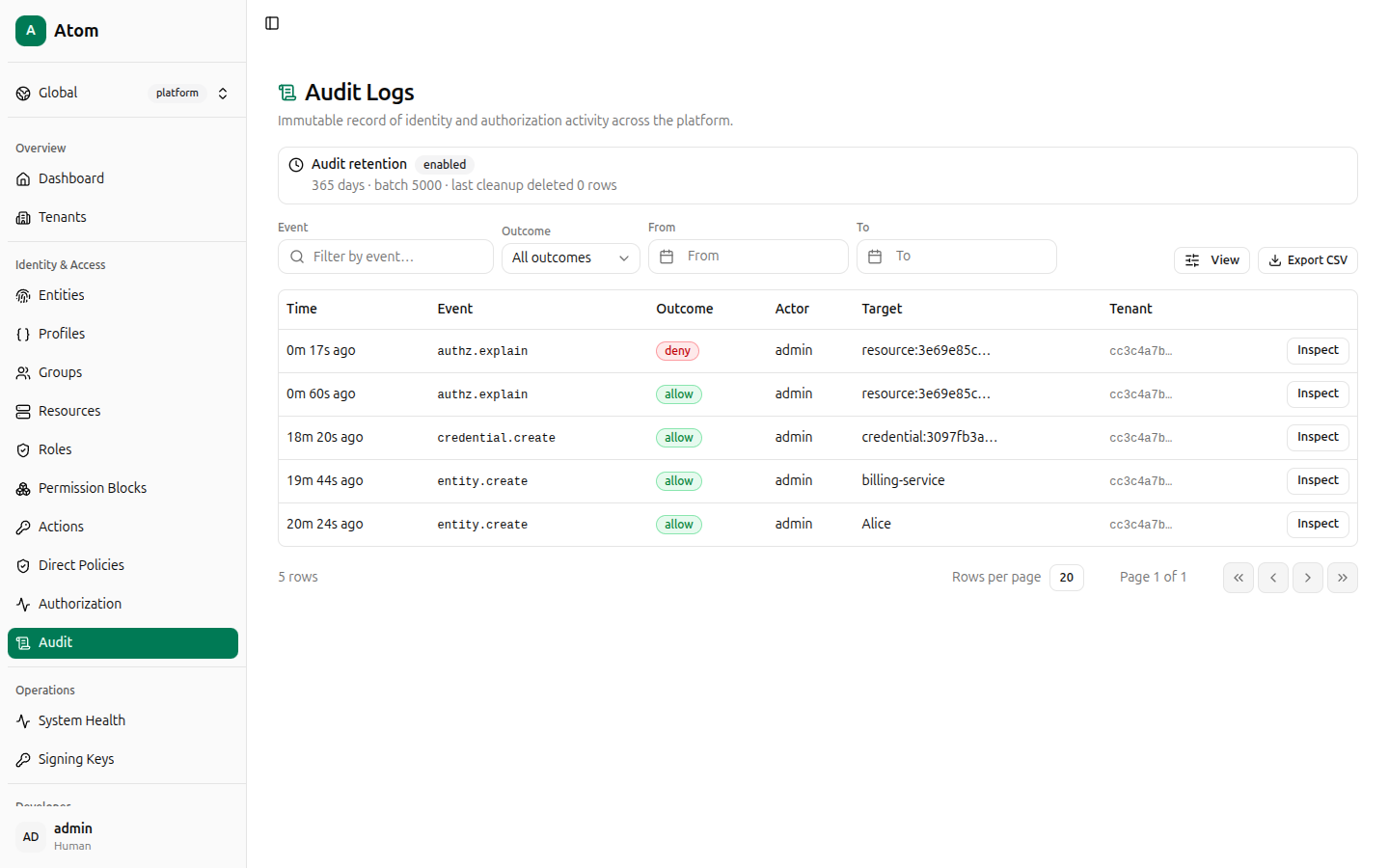
The Audit page (/audit) is a query view over Atom's immutable audit log — every entity
creation, credential change, and authorization decision made through the API or the UI is
recorded here and cannot be edited or deleted through normal operation.
An info banner at the top reports the live retention configuration: Audit retention
status (enabled), the retention window in days, the cleanup batch size, and how many rows
the last cleanup pass deleted.
Filtering
- Event — free-text filter by event name (for example
authz.explain,entity.create,credential.create). - Outcome —
All outcomes,allow, ordeny. - From / To — date/time range pickers.
- View — choose visible columns.
Columns: Time, Event, Outcome, Actor, Target, Tenant.
Row actions
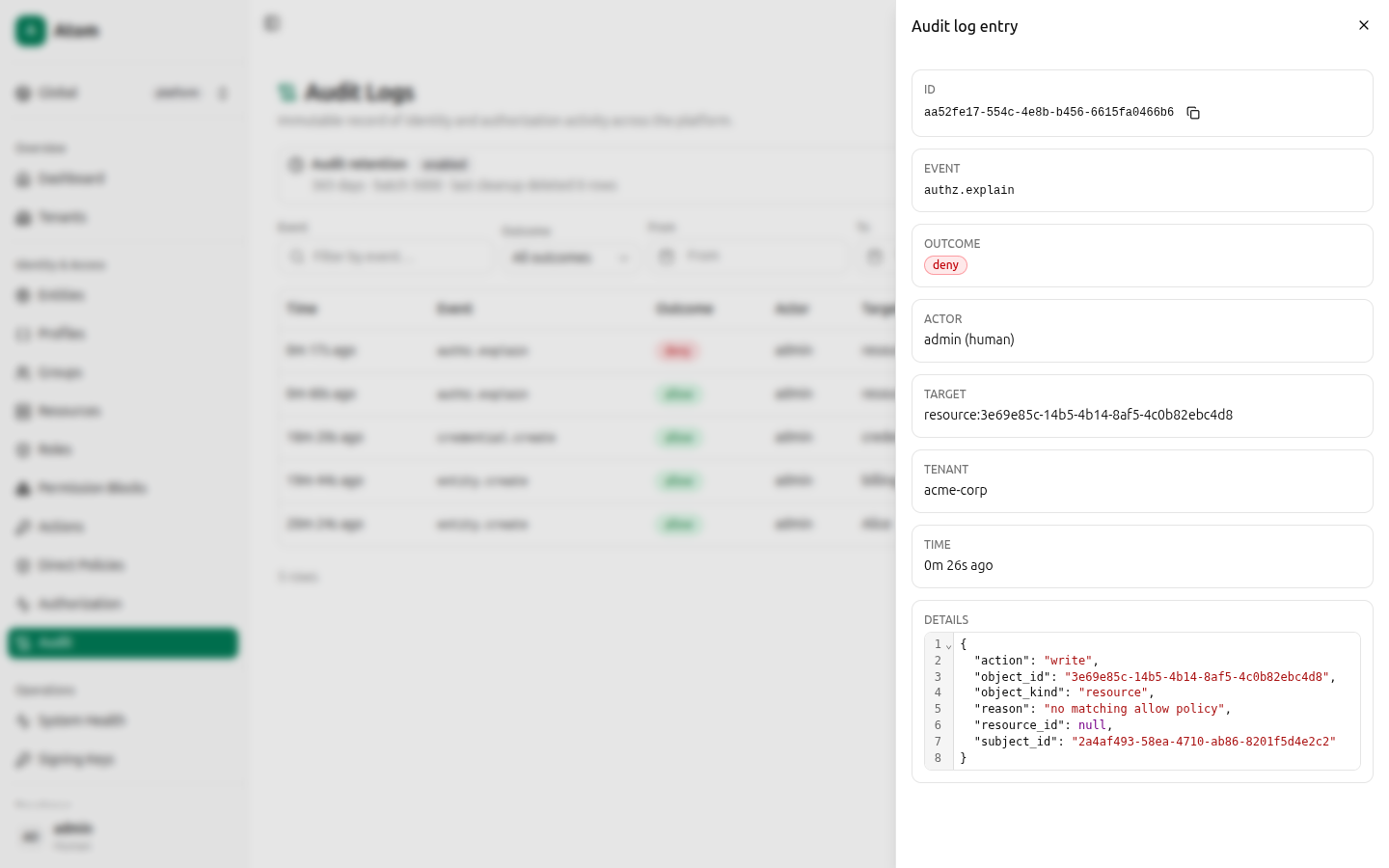
Click Inspect on any row to open the full entry: ID, Event, Outcome,
Actor (name and kind), Target, Tenant, Time, and a Details JSON viewer
with the complete structured payload (for an authz.explain deny, this includes the
action, object_id, object_kind, reason, and subject_id that produced the decision).
Export CSV
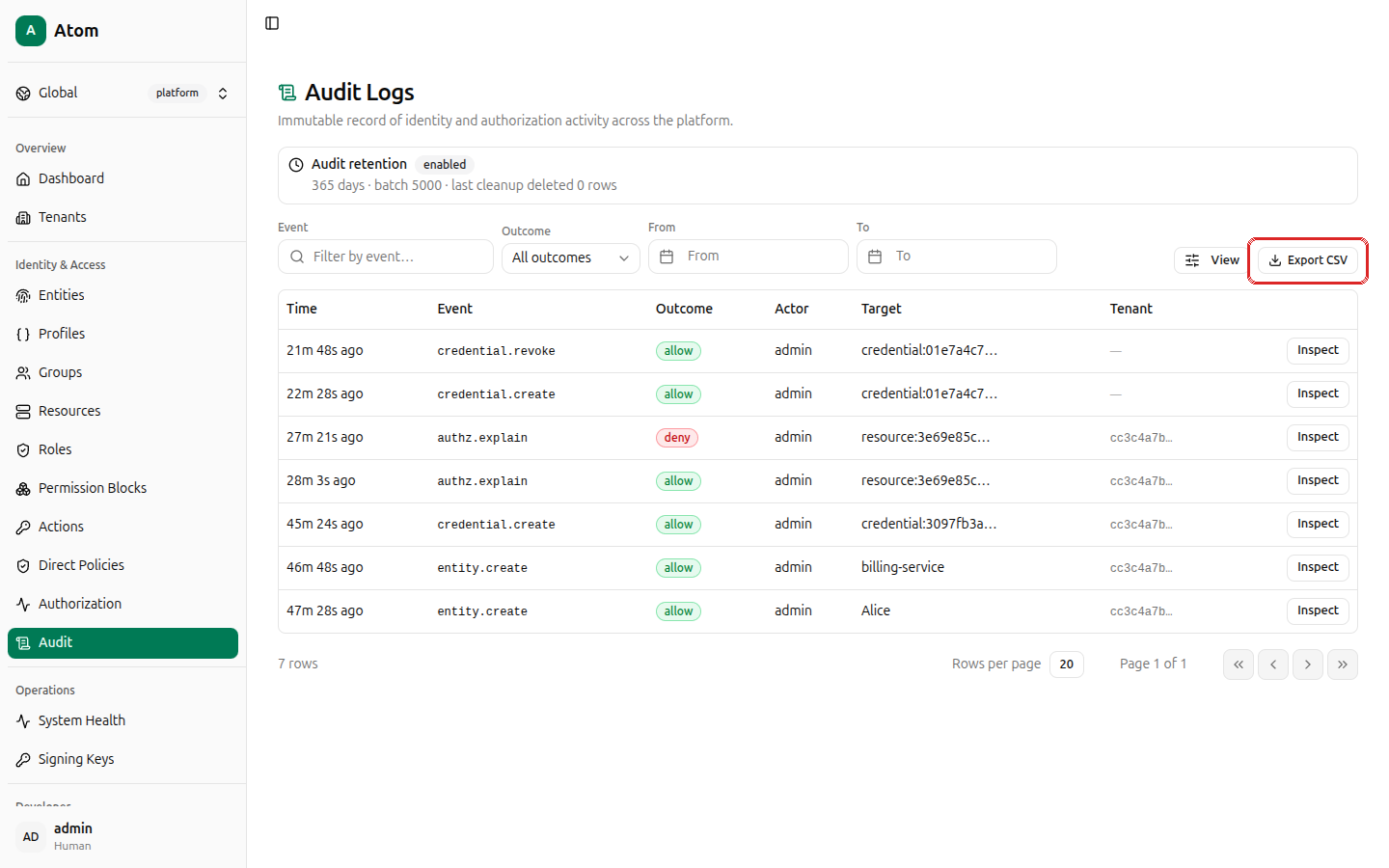
Click Export CSV in the top-right corner.
The export dialog lets you choose exactly what to download:
- Columns — toggle any of ID, Created At, Event, Outcome, Actor Entity ID, Tenant ID, Target Kind, Target ID, Details (JSON) individually, or use the All / None shortcuts.
- Filters — the same Event, Outcome, From, To filters as the main table, set independently for the export.
- Pagination — Limit (up to 2,000 rows per export, fetched in batches of 200) and Offset, for exporting in pages if you need more than 2,000 rows total.
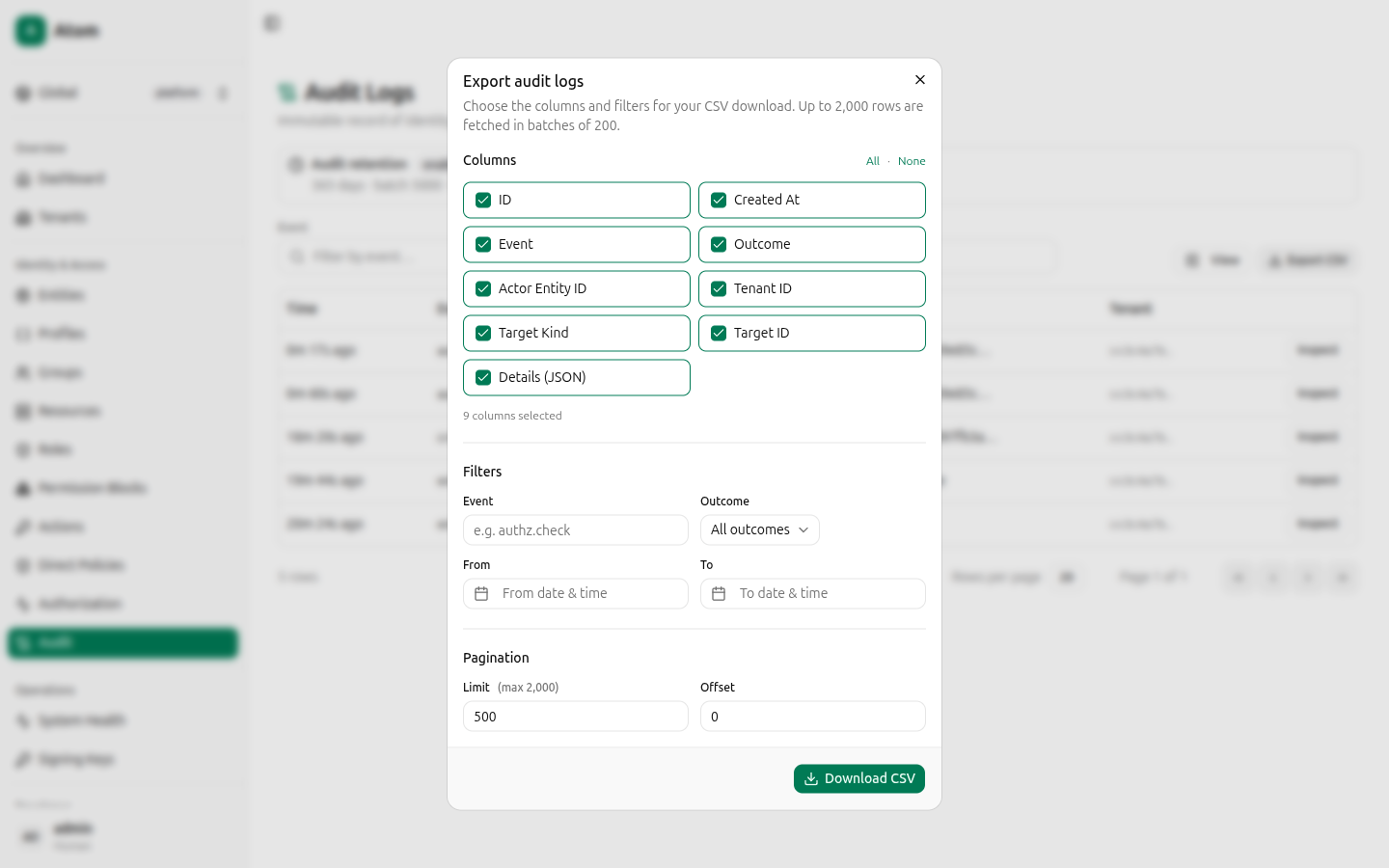
Click Download CSV.
Where audit entries come from
Every action documented elsewhere in this guide writes at least one audit entry: entity create/update/disable, credential issuance and revocation, tenant lifecycle changes, permission block/role/direct policy creation, and every check run in the Authorization debugger. This makes the audit log the definitive answer to "who did what, and was it allowed?" across the whole platform.