Authorization
The authorization debugger — explain any allow or deny decision with full reasoning.
The Authorization page (/authz) is Atom's authorization debugger. It builds one
request — "who wants to do what on which target" — and shows exactly which
permission blocks, roles, or direct policies matched,
skipped, or denied it. Because Atom performs online authorization (no cached permissions in
tokens), this debugger reflects the same live decision the PDP would return to any API caller
right now.
Building a request
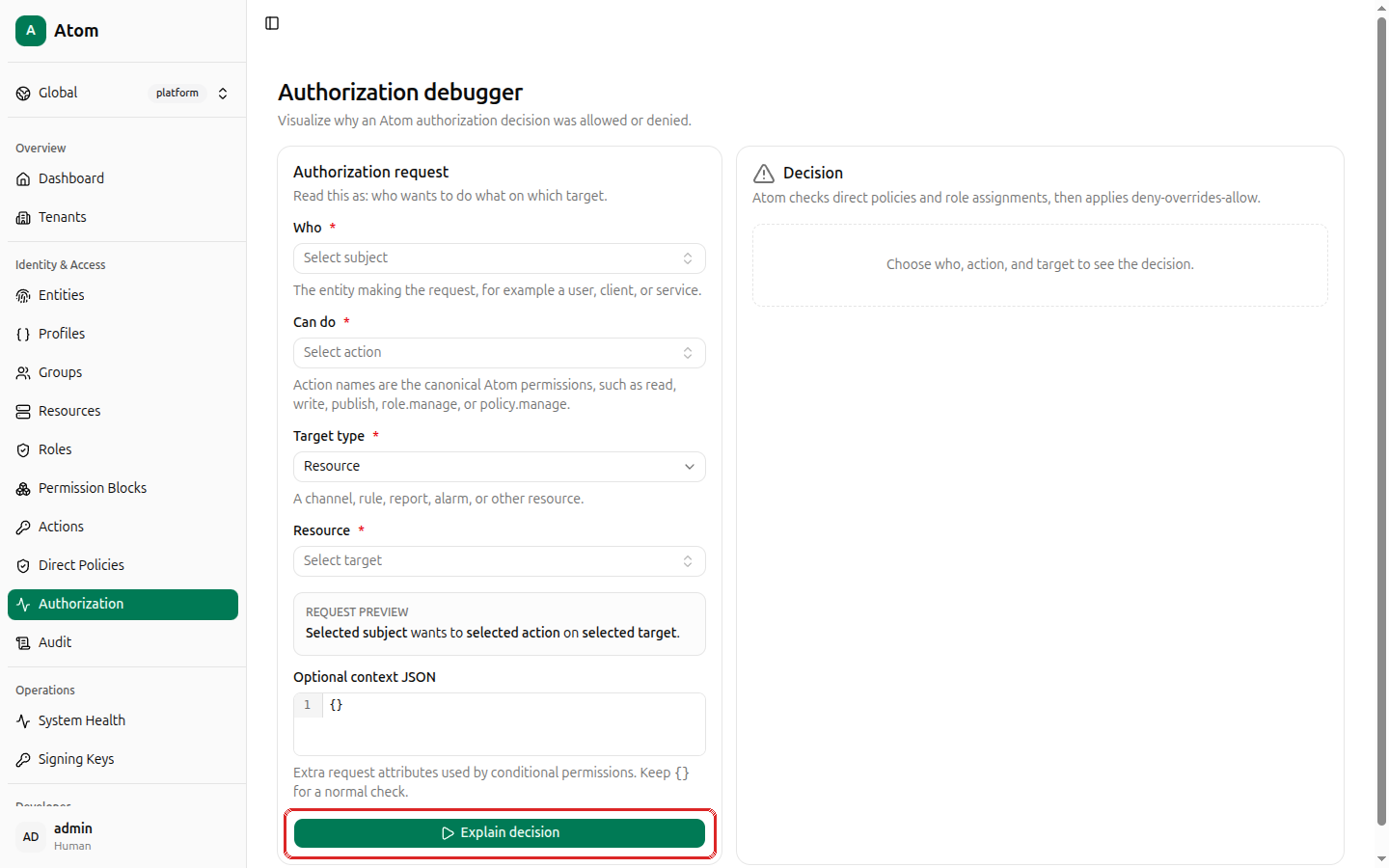
- Who (required) — search and select the subject entity making the request.
- Can do (required) — the action name, from the platform catalog (see Actions).
- Target type (required) — currently
Resource; described as "a channel, rule, report, alarm, or other resource." - Resource (required) — search and select the target resource.
- Optional context JSON — extra request attributes evaluated by conditional (ABAC)
permissions. Leave
{}for a normal check.
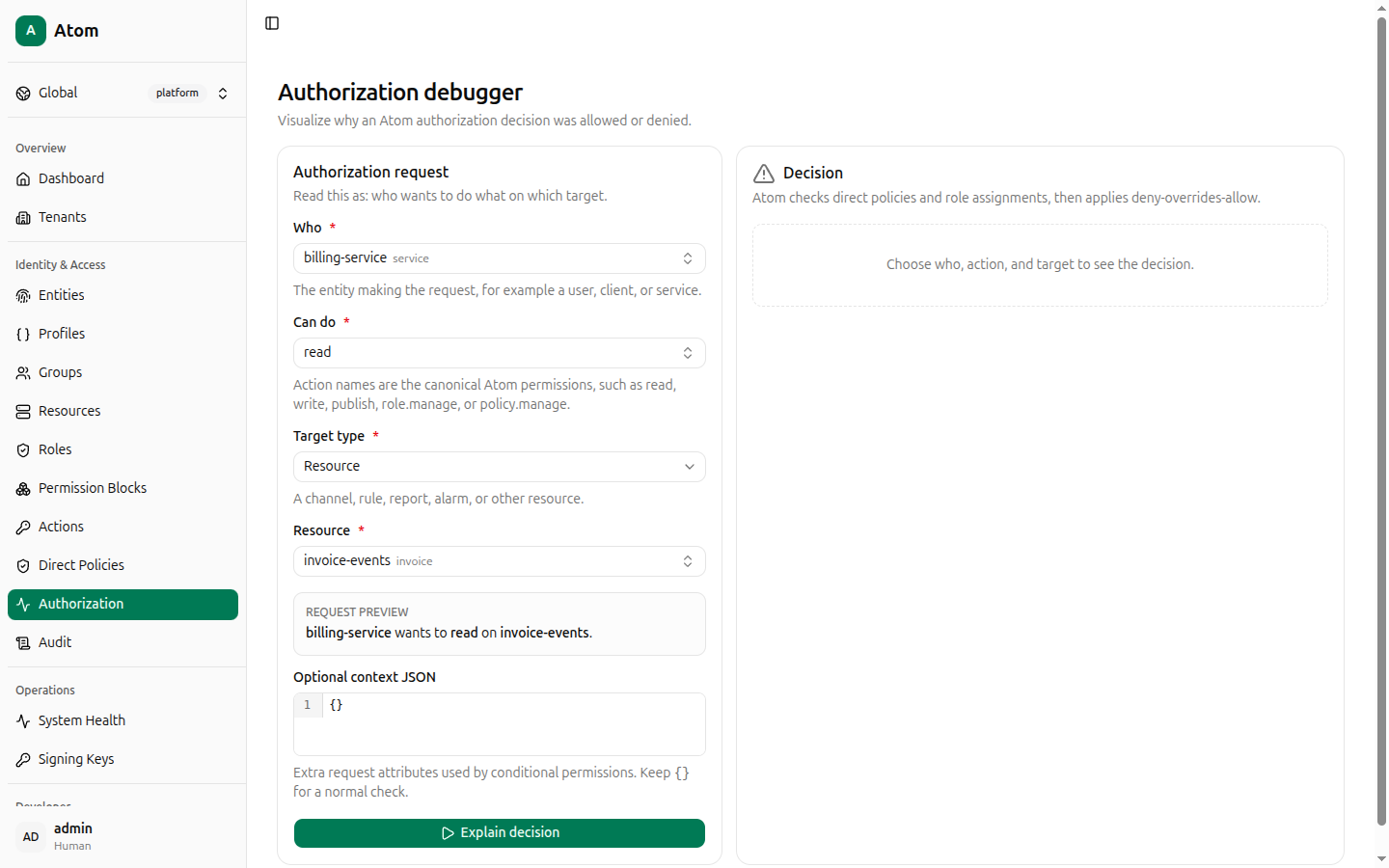
A REQUEST PREVIEW line updates live as you fill in each field: "Selected subject wants to selected action on selected target."
Click Explain decision.
Reading an Allowed decision
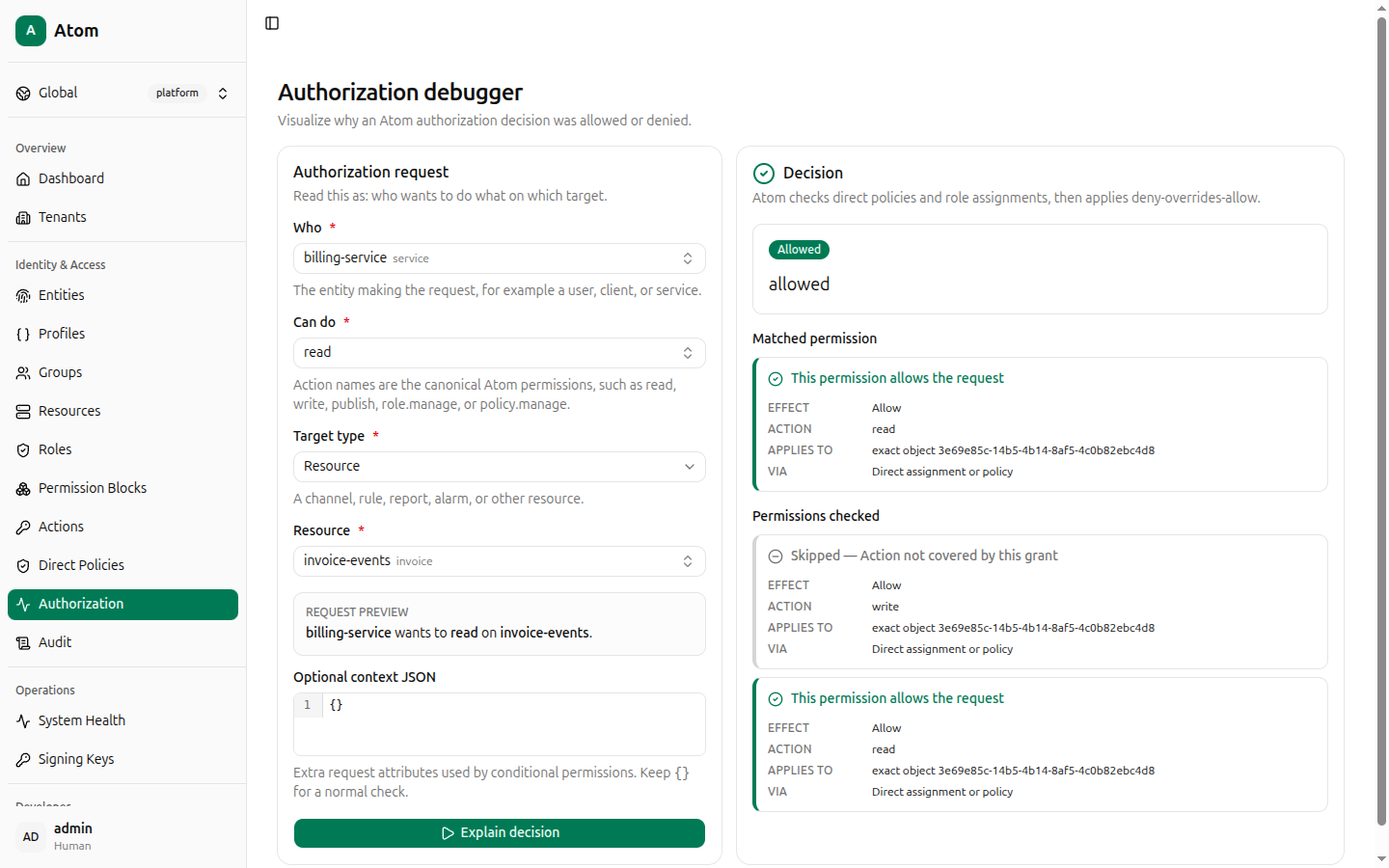
A green Allowed banner appears with the resolved reason (for example allowed), followed
by:
- Matched permission — the specific permission block that granted the request: its
EFFECT (
Allow), ACTION, what it APPLIES TO (for exampleexact object <id>), and VIA (Direct assignment or policyor an inherited role/principal group path). - Permissions checked — every other permission block considered, each marked either as contributing to the allow or Skipped — Action not covered by this grant when it matched scope but not the requested action.
Reading a Denied decision
A red Denied banner appears with the reason (for example no matching allow policy).
Matched permission shows "No permissions returned," and Permissions checked lists
every candidate block or inherited role that was evaluated and why each one didn't apply —
including grants inherited through principal-group membership, labeled VIA Inherited through principal group "<name>".
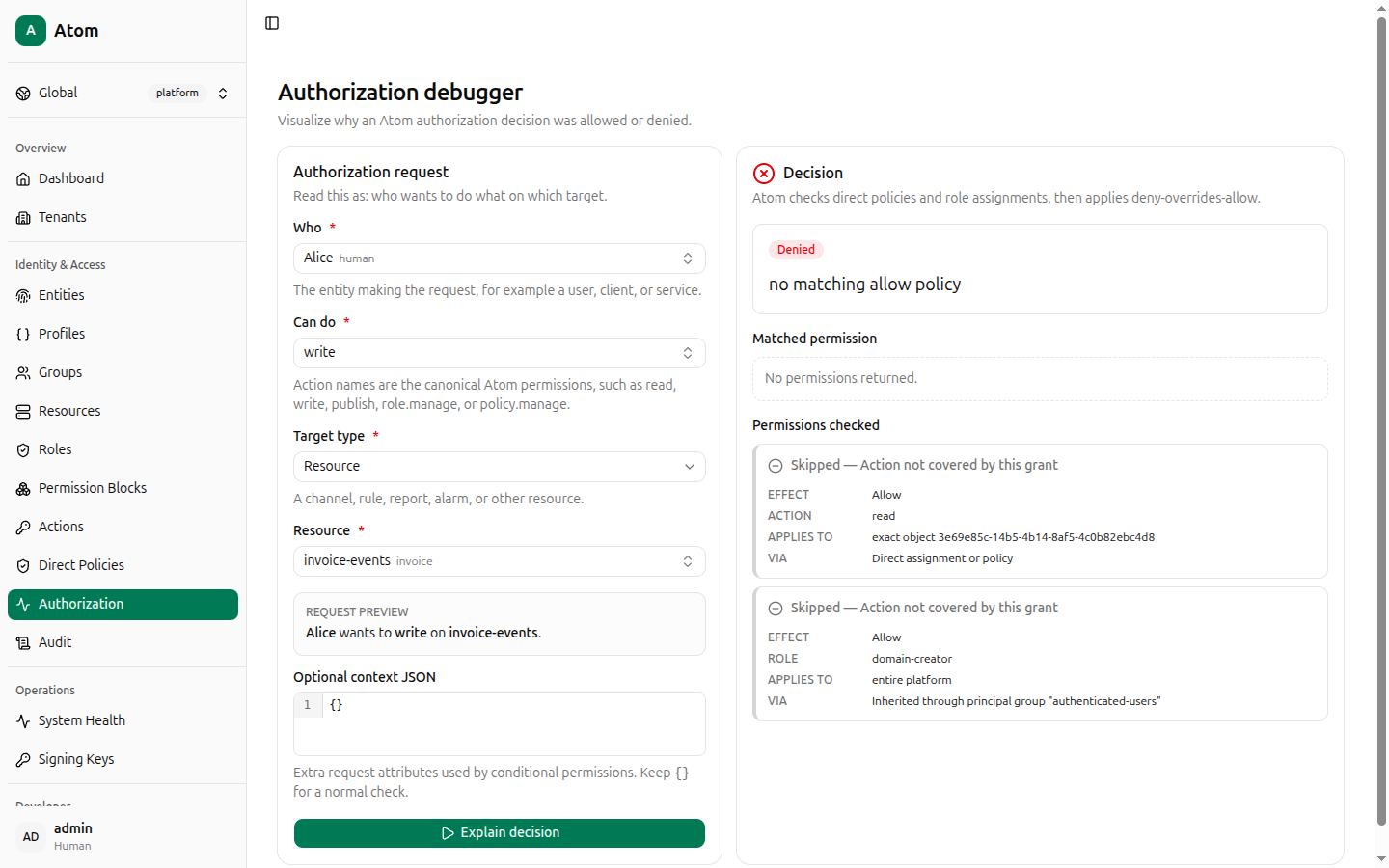
This is the fastest way to answer "why was this denied?" without reverse-engineering roles and permission blocks by hand — every skipped grant is shown, not just the one that would have worked.
Jumping in from other pages
Rather than searching for a subject or target from scratch, use the Check authorization
shortcut on an entity's or resource's
Inspect view — it opens this page with Who or Resource pre-filled via the URL
(?subjectId=... or ?targetKind=resource&targetId=...).
Every decision is audited
Each explanation you run is itself recorded — open Audit and filter by
event authz.explain to see every check you've made, including its outcome (allow/deny)
and full request details.